Difference between useEffect and useLayoutEffect, updates for React 19
There’s no shortage of articles explaining the difference between useEffect and useLayoutEffect. But with React 18 and React 19, there are subtle updates that are worth revisiting. Let’s take another stab at explaining the difference and dig into what’s changed since these hooks were introduced in React 17.
useEffect
How React renders component?
Before we can fully understand the difference between these hooks, we need to quickly revisit how React renders components.
React’s rendering process has two phases:
- Render Phase: React goes through your components from top to bottom, figuring out what’s changed. This is called reconciliation. During this phase, React prepares what updates need to happen to the DOM but doesn’t actually apply them yet.
- Commit Phase: React applies the calculated changes to the DOM, synchronously. This is when your UI updates.
The Naive Explanation
You’ve probably heard this one:
useLayoutEffectruns synchronously right after the commit phase and before the browser repaints the screen.useEffectruns slightly later, allowing the browser to update the screen first.
Sounds simple, right? Well… not quite. Let’s break this down and see what’s actually happening.
What Does “Before the Browser Repaints” Mean?
This is where things get tricky. Isn’t committing changes to the DOM and repainting the screen the same thing? Actually, they’re not.
Here’s the deal: React can commit changes to the DOM, but the browser won’t repaint the screen until JavaScript stops running. As long as a piece of JavaScript is executing, the browser is blocked from updating what you see. That’s just how JavaScript works in the browser — it’s single-threaded.
React leverages this behavior to ensure that code inside useLayoutEffect runs before the screen updates, even though the DOM changes have already been committed.
Let’s see this in action:
import { useRef } from "react";

export default function App() {
  const ref = useRef(null);

  function handleClick() {
    console.log("before", ref.current.getBoundingClientRect().width);
    ref.current.innerText = "Helllllllllllllo World";
    console.log("after, noticed the change in width", ref.current.getBoundingClientRect().width);
    blockMainThread(5000);
    console.log("after blocking main thread, the screen only updates after this.");
  }

  return (
    <>
      <button ref={ref} onClick={handleClick}>
        Hi
      </button>
    </>
  );
}

function blockMainThread(ms) {
  let now = performance.now();
  while (performance.now() - now < ms) {
    // ...
  }
}
What’s Happening Here?
- We log the width of the button.
- We update the button’s text, which changes its width.
- We log the width again, and it’s already updated in the DOM.
- However, the screen doesn’t show the updated button text until the
blockMainThreadfunction finishes running.
Why? Because the browser is waiting for JavaScript to stop executing before it repaints.
This is the trick React uses with useLayoutEffect. By running code synchronously after the commit phase—but before allowing the browser to repaint—React ensures that any adjustments you make in useLayoutEffect are applied before the user sees anything on screen.
Let’s continue exploring the nuanced relationship between useEffect and useLayoutEffect.
We often hear that useEffect runs “shortly after the commit phase, giving the browser a chance to update the screen first.” Sounds clear enough, right? But if you dig a little deeper, things get murkier.
The Truth About useEffect Timing
The idea that useEffect always runs after the screen updates isn’t entirely accurate. In fact, the timing of useEffect depends on how the effect was triggered.
From React 19 doc:
If your Effect wasn’t caused by an interaction (like a click), React will generally let the browser paint the updated screen first before running your Effect. If your Effect is doing something visual (for example, positioning a tooltip), and the delay is noticeable (for example, it flickers), replaceuseEffectwithuseLayoutEffect.
If your Effect is caused by an interaction (like a click), React may run your Effect before the browser paints the updated screen. This ensures that the result of the Effect can be observed by the event system. Usually, this works as expected. However, if you must defer the work until after paint, such as analert(), you can usesetTimeout. See reactwg/react-18/128 for more information.
Even if your Effect was caused by an interaction (like a click), React may allow the browser to repaint the screen before processing the state updates inside your Effect. Usually, this works as expected. However, if you must block the browser from repainting the screen, you need to replaceuseEffectwithuseLayoutEffect.
This is way more complicated than the simple view we’ve got at React 17:
UnlikecomponentDidMountandcomponentDidUpdate, the function passed touseEffectfires after layout and paint, during a deferred event.
When Does useEffect Run? Two Examples
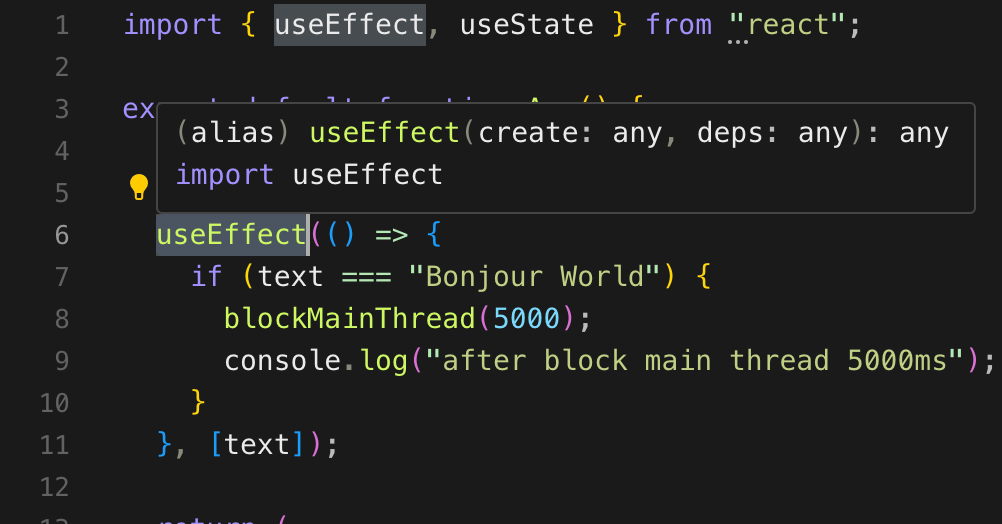
Example 1: useEffect Runs Before Paint
import { useEffect, useState } from "react";

export default function App() {
  const [text, setText] = useState("Hi");

  useEffect(() => {
    if (text === "Bonjour World") {
      blockMainThread(5000);
      console.log("after block main thread 5000ms");
    }
  }, [text]);

  return (
    <>
      <button
        onClick={() => {
          setText("Bonjour World");
        }}
      >
        {text}
      </button>
    </>
  );
}

function blockMainThread(ms) {
  let now = performance.now();
  while (performance.now() - now < ms) {
    // ...
  }
}
Here’s what happens:
- You click the button.
- React updates the state and schedules a render.
useEffectruns before the browser repaints.- The
blockMainThreadfunction delays the screen update for 5 seconds.
Example 2: useEffect Runs After Paint
import { useEffect, useState } from "react";

export default function App() {
  const [text, setText] = useState("Hi");

  blockMainThread(500);

  useEffect(() => {
    setTimeout(() => {
      setText("Bonjour World");
    }, 0);
  }, []);

  useEffect(() => {
    if (text === "Bonjour World") {
      blockMainThread(5000);
      console.log("After blocking main thread for 5000ms");
    }
  }, [text]);

  return (
    <>
      <button>{text}</button>
    </>
  );
}

function blockMainThread(ms) {
  let now = performance.now();
  while (performance.now() - now < ms) {
    // ...
  }
}
In this case, you can see the text “Bonjour World” display way before the blocking 5000ms finished.
The Takeaway
React doesn’t guarantee when your useEffect will run in relation to browser paints. Here’s what you should remember:
- For DOM-related work like calculations or measurements, always use
useLayoutEffect. It guarantees execution before the browser paints. - For side effects like data fetching or logging, stick with
useEffect. - If you need to defer work explicitly to after paint, use
setTimeout.
React’s flexibility here allows it to optimize rendering for most use cases, but the timing of useEffect should always be treated on a case-by-case basis. Don’t assume it runs strictly before or after paints—understand your requirements and pick the right tool for the job.