Crawling vs Indexing: Understanding How Search Engines See Your Website
When I first started learning about SEO, I was confused about how search engines interact with our websites. Let me share what I’ve learned in the simplest possible way.
Two Different Processes
There are two main ways search engines interact with your website: crawling and indexing. They’re different things, but they work together.
Crawling: The Visit
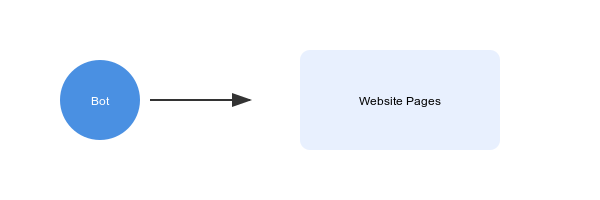
Crawling is when search engines visit your website to see what’s there. Think of it as someone walking through your website, looking at each page. During this process, they:
- Follow links between pages
- Download content
- Discover new pages
- Check for updates to existing pages
Indexing: The Record
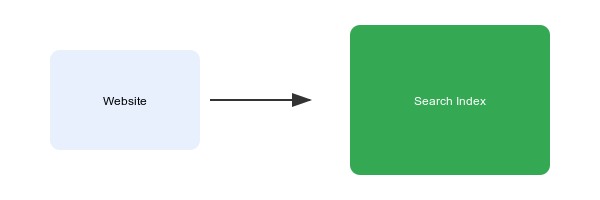
Indexing is when search engines decide to add your page to their search results. It’s like adding a book to a library catalog so people can find it later.
Controlling the Crawling Process with robots.txt
Let’s look at some common scenarios with robots.txt and what they actually do:
# Block all search engines from your entire site
User-agent: *
Disallow: /
# Why? Use this during development or for private websites
# Allow everything
User-agent: *
Allow: /
# Why? This is the default behavior - use it when you want
# search engines to see everything# Block specific folders
User-agent: *
Disallow: /admin/
Disallow: /private/
Allow: /private/public-docs/
# Why? Use this to:
# - Hide admin interfaces
# - Protect private content
# - But still allow specific public subfolders# Different rules for different search engines
User-agent: Googlebot
Disallow: /no-google/
User-agent: Bingbot
Disallow: /no-bing/
# Why? Sometimes you want different search engines
# to see different things# Block specific file types
User-agent: *
Disallow: /*.pdf$
Disallow: /*.doc$
# Why? Use this to prevent search engines from
# crawling specific types of filesThe Unexpected Part: When Blocking Crawling Isn’t Enough
Here’s something that surprised me: A page that can’t be crawled might still end up in search results. How?
- External Links: If other websites link to your page, search engines might add it to their index anyway.
- Historical Content: If a page was indexed before you blocked crawling, it might stay in the index for a while.
Controlling Indexing with Meta Tags
If you want to make absolutely sure a page doesn’t appear in search results, you need this meta tag:
<meta name="robots" content="noindex, nofollow" />This tells search engines:
noindex: Don't put this in search resultsnofollow: Don't use links on this page to find other pages
How to Check Your Setup
For robots.txt:
Visit yourdomain.com/robots.txt. You should see your rules there.
For indexing controls:
- View your page source
- Look for the meta robots tag
- Or use an SEO browser extension
Key Takeaways
- Crawling control (robots.txt) is about access
- Indexing control (meta tags) is about search results
- You often need both to manage your site’s visibility properly
- Always test your setup to make sure it’s working as intended
Remember: Search engines are just trying to understand your website. These tools help you tell them exactly what you want them to see and share.